What is it?
Your buyers want to manage their own billing. Now they can. The billing portal lets them securely log in to view subscriptions and invoices, pay what they owe, and update payment methods — all on their own, no tickets, no back-and-forth, no waiting on you.
Less busywork for your team. More trust from your buyers. Everybody wins.
Why does it matter?
Right now, every billing update is a manual scramble — buyers email you, you chase down details, payments slip through the cracks. The billing portal flips that script:
- - Fewer failed payments — buyers keep their own payment methods current
- - Less support overhead — routine billing requests handle themselves
- - Built-in compliance — billing data stays secure and regulation-ready
- - More buyer trust — self-service is the experience your buyers expect
How does it work?
Seller Setup
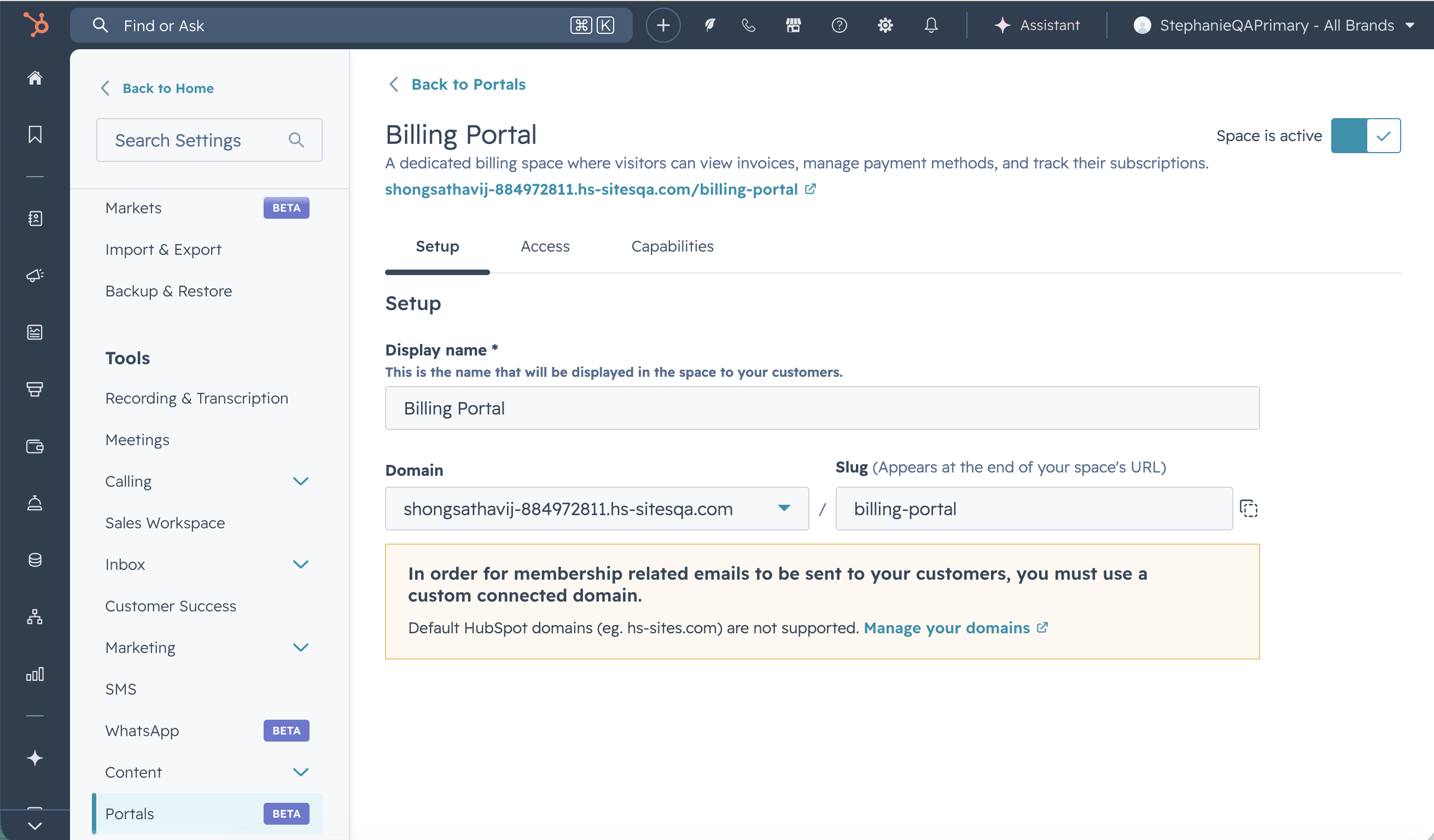
Go to Settings → Tools → Portals, then click Billing. From there you can:
- - Preview and turn the portal on
- - Set the display name, portal domain, and slug to match your brand
- - Create an access group — anyone you add gets an automatic invite
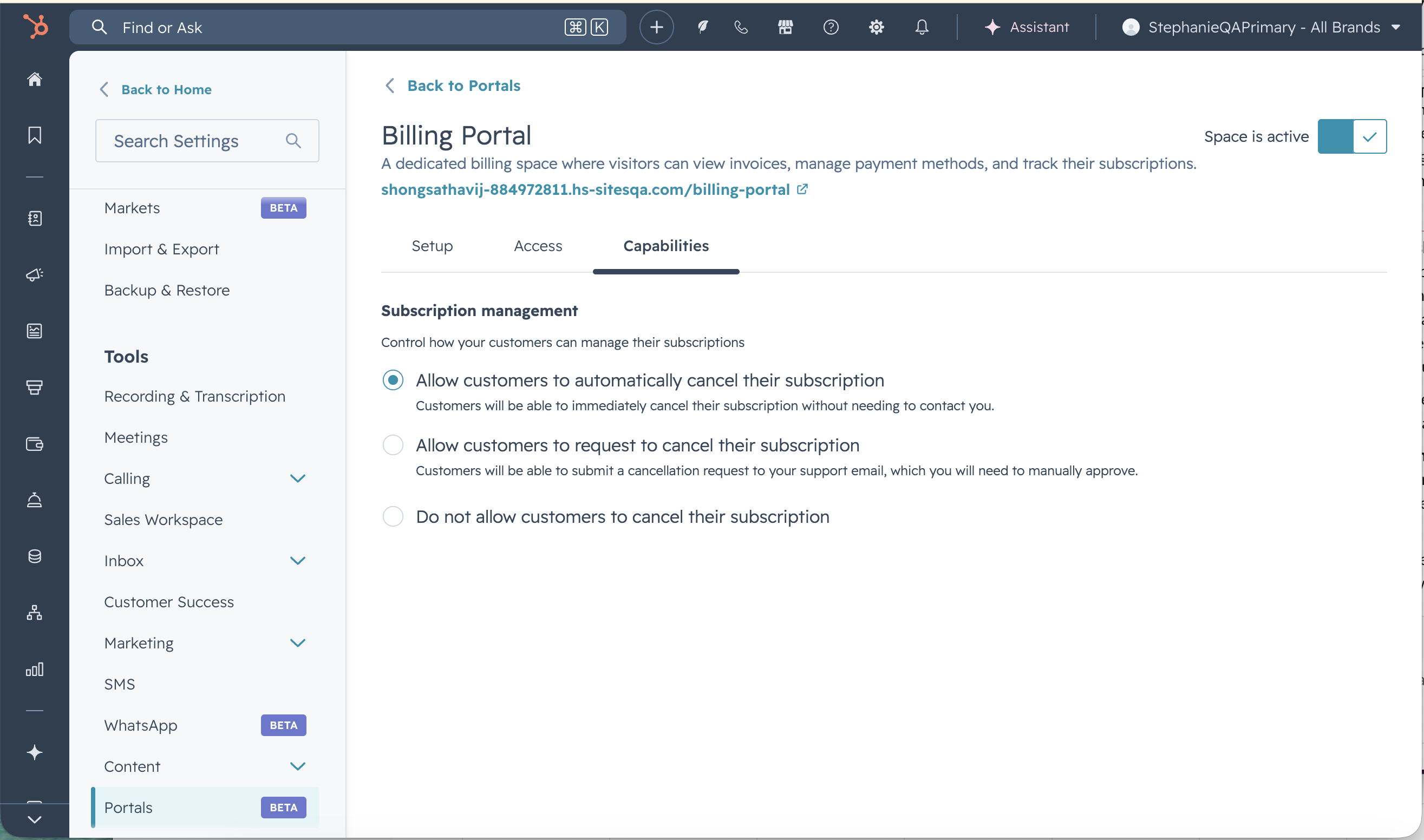
- - Decide what buyers can do with their subscriptions:
- - View only — keep it simple
- - Request to cancel — buyers ask, your Super Admins get notified (contract-based subscriptions excluded)
- - Self-cancel — buyers handle it, you and the buyer both get notified (contract-based subscriptions excluded)
Buyer Experience
Buyers log in securely with their email (same credentials as your customer/ticketing portal or private content, if they already use it) and immediately get the keys to:
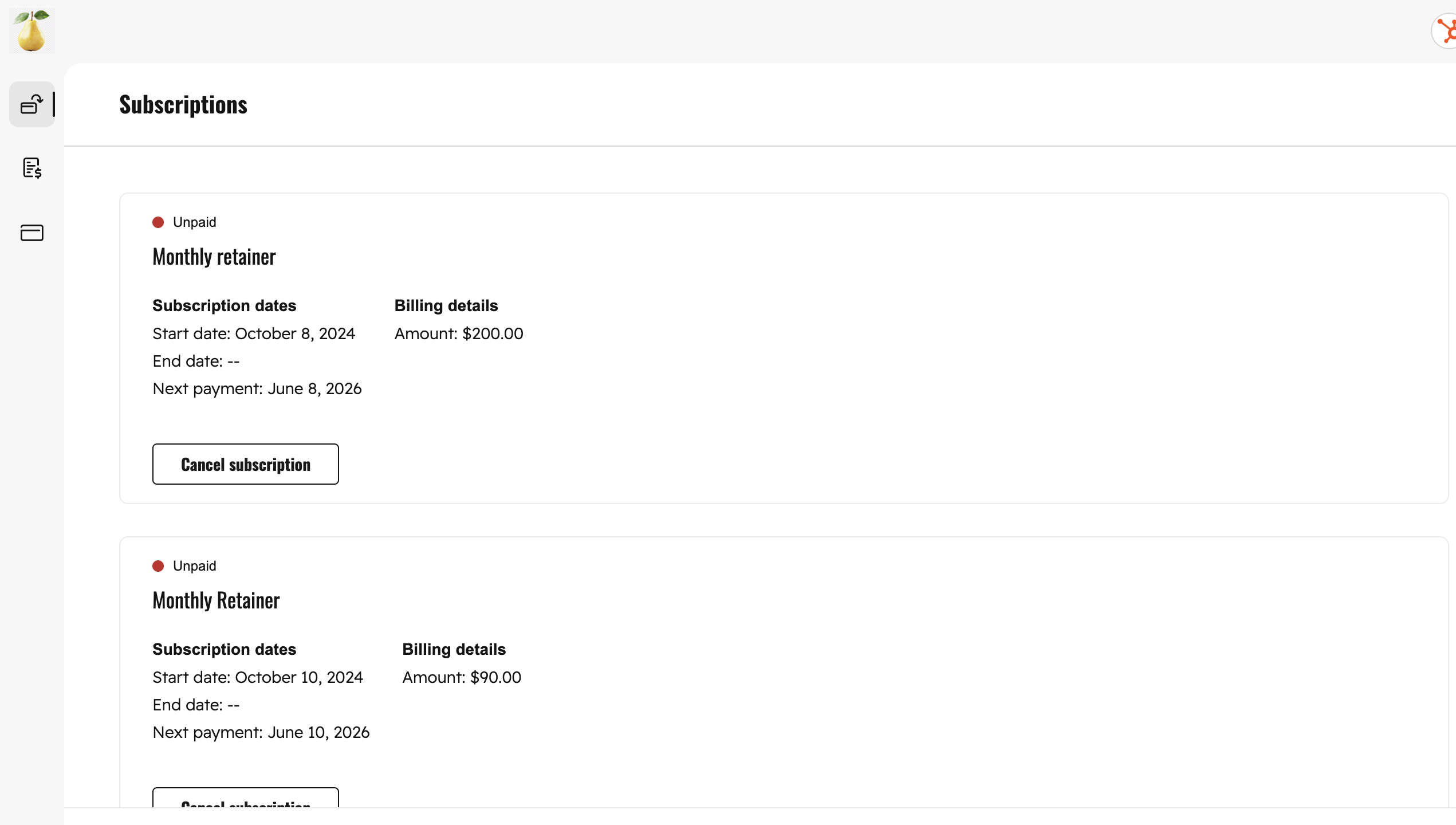
- - View current, past, and future subscriptions
- - Cancel or request to cancel — based on the rules you set
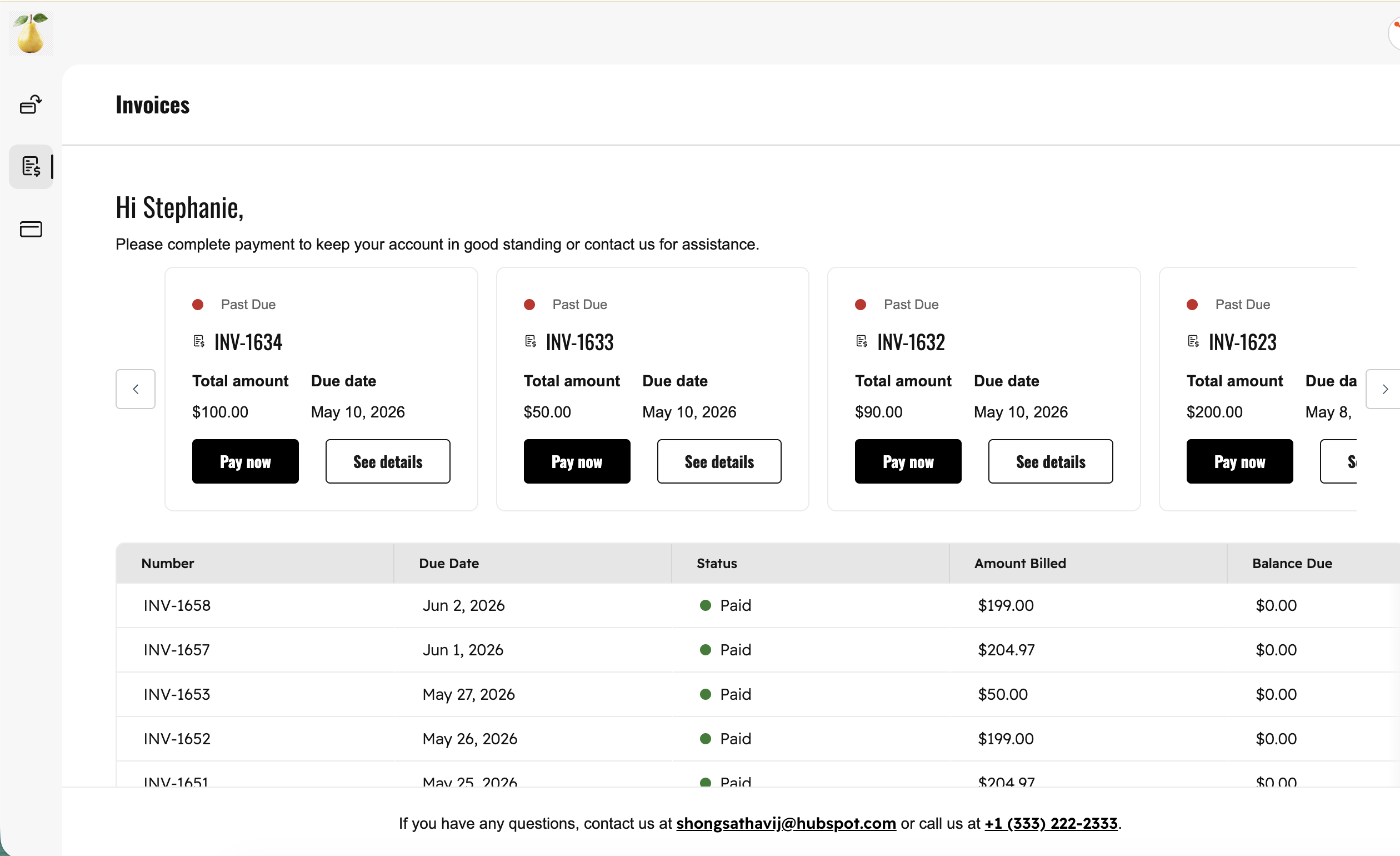
- - Pay outstanding invoices on the spot
- - Download invoices as PDFs
- - View and manage their stored payment methods
A link drops right into the bottom of their receipt email — so they know exactly where to go.
Who gets it?
Commerce Hub Professional, Commerce Hub Enterprise





.png?width=193&name=jos%20(1).png)




