What is it?
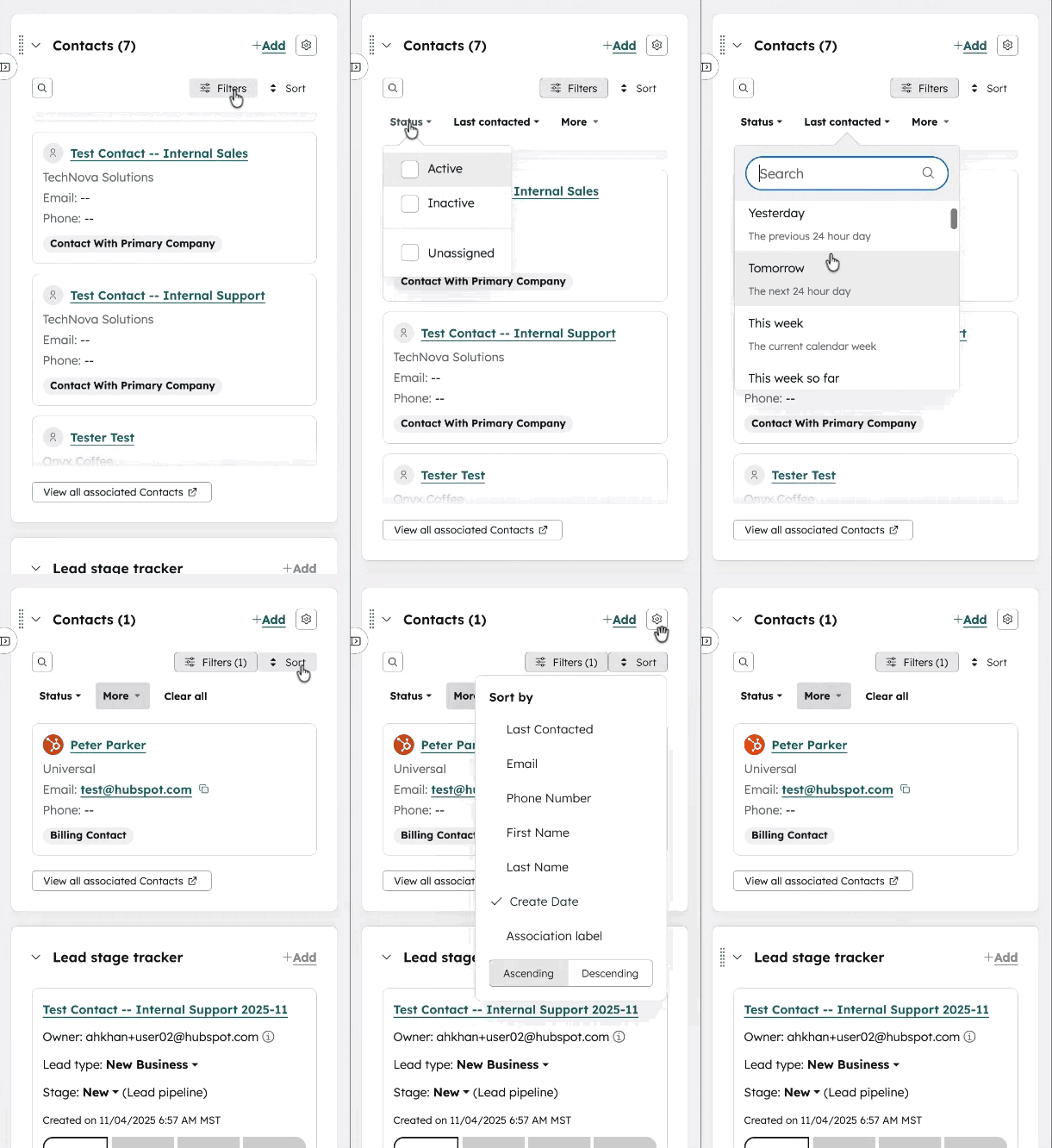
You can now filter association cards on CRM record pages to quickly find the most relevant related records. Association cards display the relationships between records—like which contacts, deals, or activities are linked to the primary record you're viewing.
Why does it matter?
When records have many associated items, finding the right information can require excessive scrolling. With filtering, you can narrow displayed associations to only what matters for your current task—like viewing only contacts with active deals or filtering by recent activity. Your applied filters persist when you navigate away and return to the record, saving time on repeated tasks.
How does it work?
To add filtering to an association card:
- Navigate to the record page where you want to filter associations.
- Click Actions > Edit record page to customize the layout.
- Add or select an association card in your right sidebar, middle column, or preview sidebar.
- In the card settings, you'll see options to apply Filters and Quick Filters.
- Save your changes.
To use filters on the record page:
- On the association card, click the Filters button.
- Apply up to 5 filters using the available Quick Filter dropdowns to refine by criteria like type, status, or date.
- The card instantly updates to show only matching associated records.
- Your filters remain active even after navigating away and returning to the record.
Additional features in this update:
- Improved user interface for easier navigation and management of associations
- Persisting filters now available on association table cards
- Default Job Title at Company display for associated contact records
Who gets it?
All hubs and tiers





.png?width=193&name=jos%20(1).png)




