What is it?
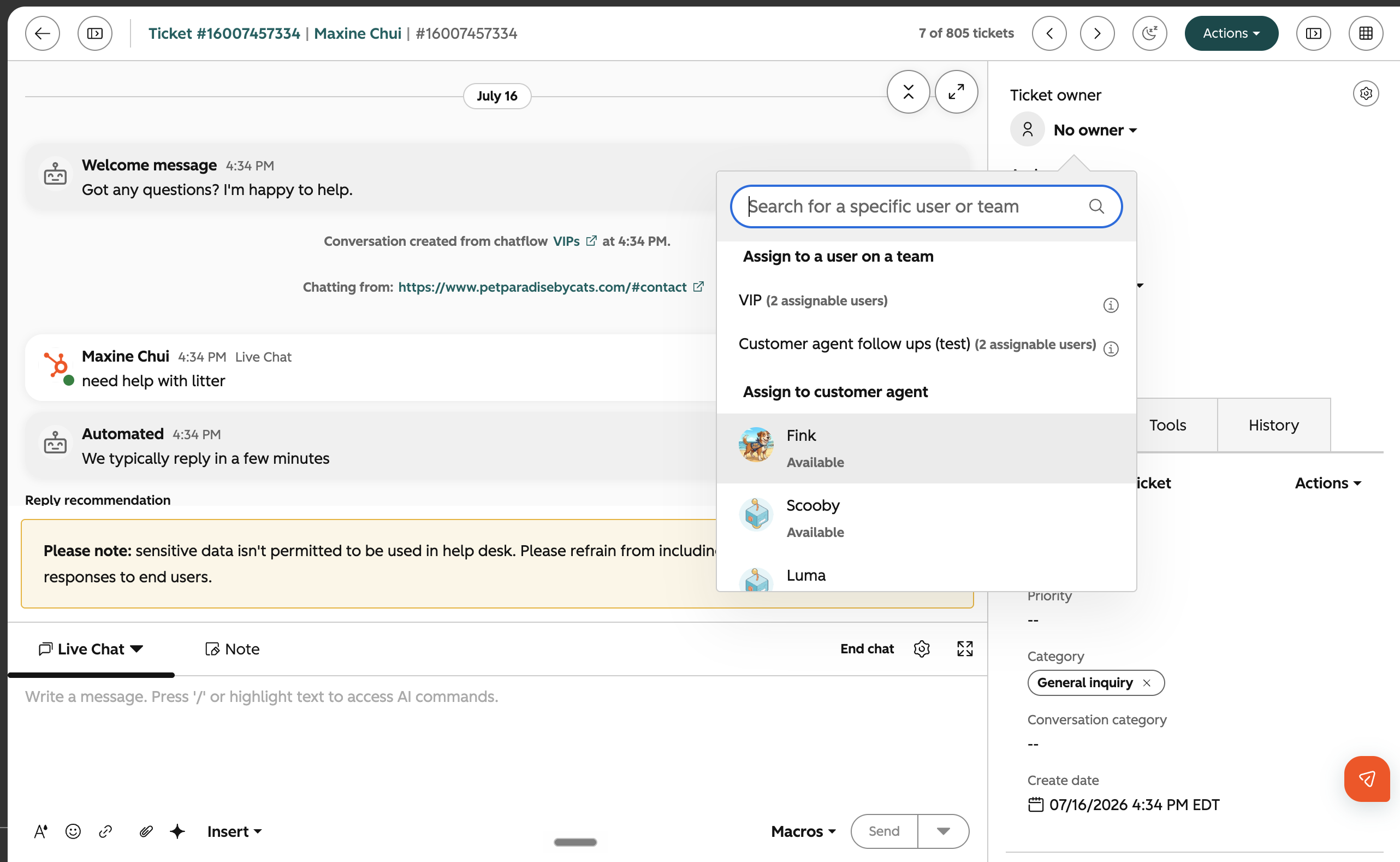
Support agents can now manually assign conversations to Customer Agent from the Help Desk or Inbox Ticket Owner dropdown, allowing AI to take over the conversation.
Why does it matter?
Why it matters
Human agents need a way to selectively hand off conversations to Customer Agent when they identify issues that the AI can resolve, enabling more flexible triage and better workload management for high-volume support teams. This change lets agents route standard or repetitive queries to AI without leaving the workflow, increasing efficiency and aligning with staged deployment strategies.
How does it work?
Accessing Manual Assignment
- - Go to the Help Desk or Inbox thread view.
- - Open the Ticket Owner Dropdown on the conversation thread
- - Select your Customer Agent from the "Assign to customer agent" list. Customer Agent appears with an AI badge and a 'Uses Credits' tooltip.
- - If no credits remain, Customer Agent is greyed out and disabled with a tooltip explaining why.
Behavior After Assignment
- - If the latest message is from the end user, Customer Agent responds immediately.
- - If the latest message is from a human agent, Customer Agent waits for the next user message to reply.
Permissions
- - Only users with Customer Agent Write permission can assign conversations to Customer Agent.
Audit Trail
- - The conversation timeline records who manually assigned the conversation to Customer Agent.
Who gets it?
All hubs and tiers





.png?width=193&name=jos%20(1).png)




