What is it?
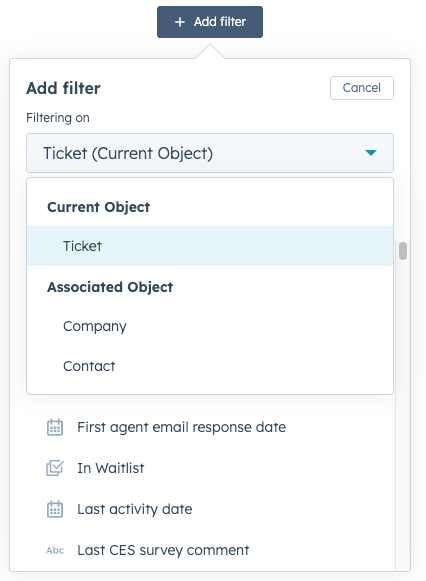
You can now create custom views based on contact and company object properties in help desk!
Why does it matter?
Support teams don’t just organize tickets by ticket properties — they often need to segment work based on who the customer is. Previously, views could only be built with ticket properties, limiting flexibility for high-touch or specialized teams. With this update, teams can now:
- Quickly access tickets from VIP contacts and companies
- Personalize the agent experience
- Empower teams with views that match how they work
How does it work?
To access this feature, you need a Service Seat with custom view permissions.
- Click on Create View
- From the Object menu, select Contact and/or Company.
- Choose your filters, then click Save.
Have feedback?
Please share it with us at helpdeskfeedback@hubspot.com!
Who gets it?
Service Professional, Service Enterprise





.png?width=193&name=jos%20(1).png)




