What’s changed?
What is it?
You can now use the aliases of your connected Microsoft Outlook account to send emails from the CRM.
Why does it matter?
Aliases allow users to communicate from more targeted email addresses that are still part of the same account. Your company may have different branding for different products you sell, and you change your email address based on who you are emailing.
Previously, to use aliases, Outlook users would need to send emails from within the Outlook app, include the BCC address, and add their alias manually to a setting to log the email. This prevented users from taking full advantage of HubSpot functionality, like sequences bulk enroll.
How does it work?
Necessary disclosure: Aliases are only accessible to HubSpot's integration via the Beta version of Microsoft's Graph API. This feature is subject to change and break without warning. HubSpot cannot fully release and support this feature until Microsoft also does so.
In order for HubSpot to automatically detect your alias for use in the CRM, you will need to disconnect and reconnect your personal email so we can request the additional Microsoft scope needed for the Beta.
In Settings > General > Email, click Remove next the account to disconnect.

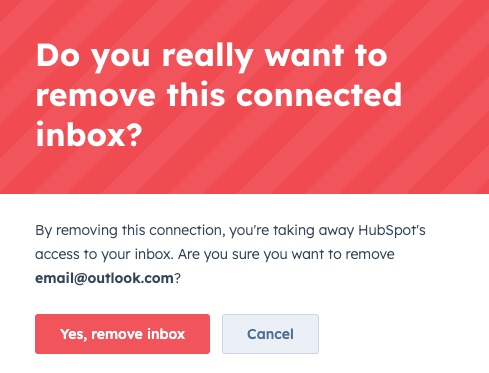
Click "Yes, remove inbox" in the modal to confirm.
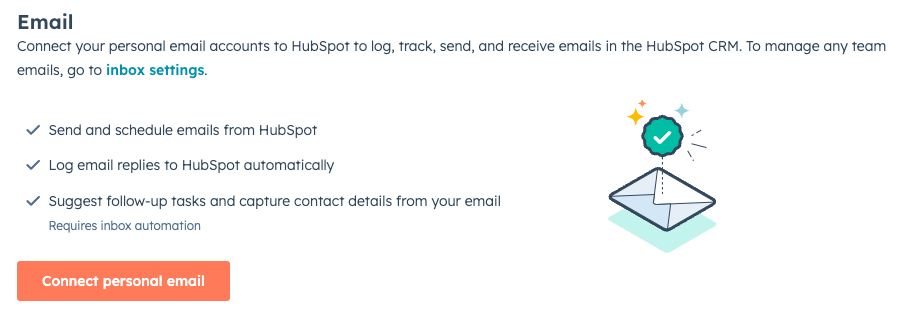
Then click "Connect personal email" to reconnect your account.
You have 10 minutes to reconnect your account to avoid any data loss. If your account is disconnected for longer than 10 minutes, we will not sync in any emails received during the disconnection.
Once reconnected, you will now see your aliases available in the From drop down when sending emails from the CRM. Select the alias to send emails as normal.

Who gets it?
All Hubs and Editions





.png?width=193&name=jos%20(1).png)




