What is it?
When a rep needs help resolving a conversation or determines another team member would be better suited to handle it, they can now transfer inbound and outbound calls directly to that person. To receive transferred calls, users must be assigned to a HubSpot number.
Why does it matter?
This update expands Transfers functionality to include the following:
- Users can now transfer Inbound and Outbound calls
- Users can now transfer calls between workspaces and individual phone numbers
How does it work?
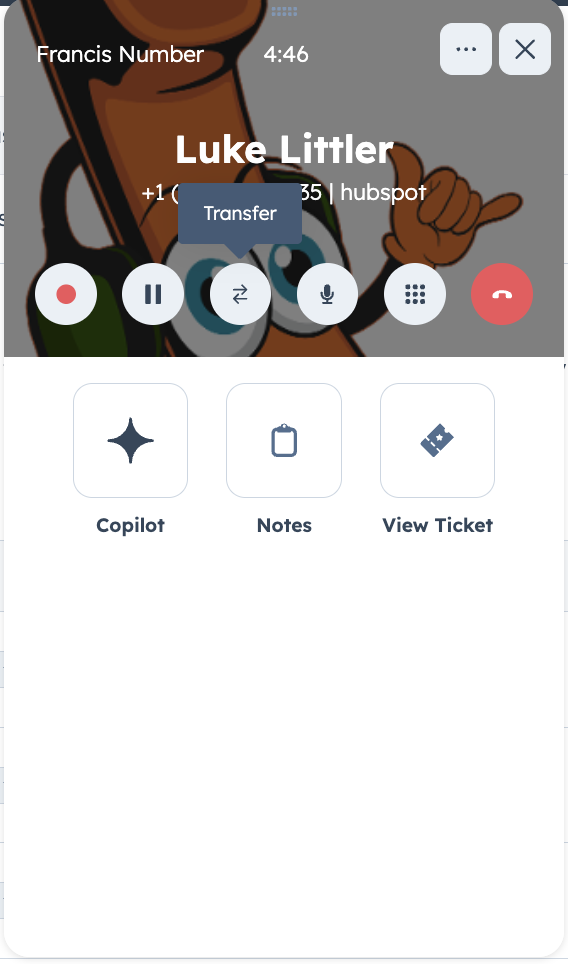
Once on a call, click the transfer button.
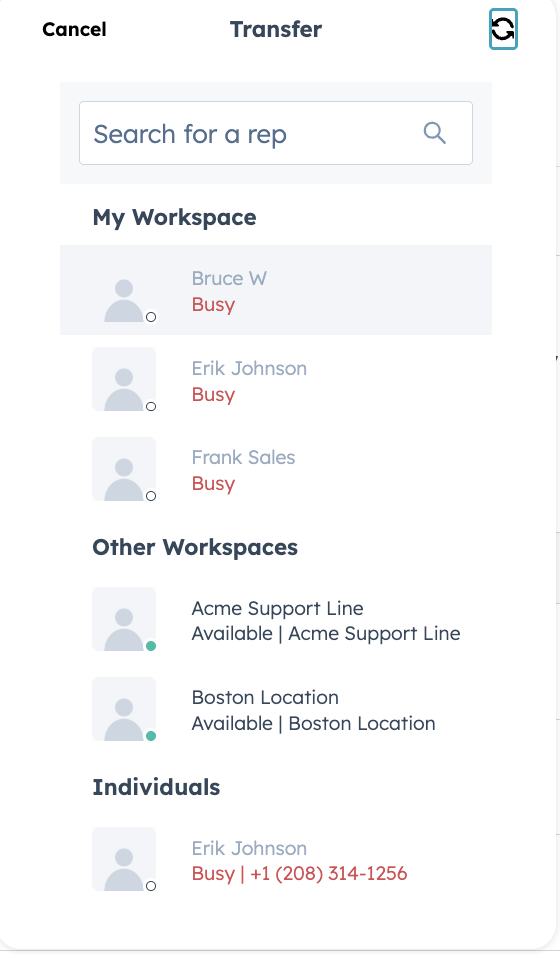
Next, you'll see all available reps and workspaces to transfer to.
Please note: When you transfer a call between workspaces (Help desk ↔ Inbox), you can’t select an individual rep; all available reps in the destination workspace will be rung simultaneously.
Who gets it?
Sales Hub Professional, Sales Hub Enterprise, Service Hub Professional, Service Hub Enterprise





.png?width=193&name=jos%20(1).png)




